AI product descriptions

Product description SEO: the copy and the search fields together

Shoppers find products through search, so the description, the SEO title and the meta description all need the words they type. Ask StoreDesk for all three in one request and approve them in one review.

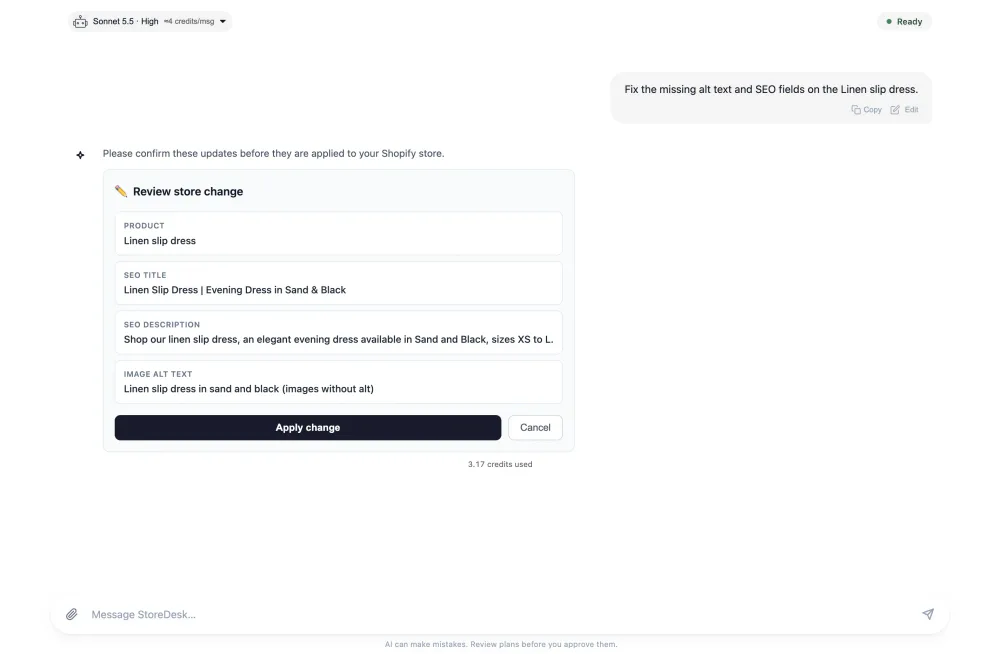
StoreDesk review card for the Linen slip dress with a proposed SEO title, SEO description and image alt text, waiting for Apply change

01Overview

SEO product descriptions in StoreDesk

Good product description SEO is mostly plain writing: say what the product is in the words shoppers search, give the facts they check, and fill in the fields search engines show. That means the description on the page, the SEO title and meta description in the search result, and a clean URL handle.

StoreDesk writes these from the Store Agent chat inside your Shopify admin. You can ask for one product or several, for the description alone or with its SEO title and meta description, and every change waits in a review card until you approve it.

It's built for store owners who'd rather check a draft than start from a blank box.

SEO friendly product descriptions start with the shopper

Search engines read the description the same way a shopper does, so write for the shopper. StoreDesk opens with what the product is, names the material, colours and sizes from your real variants, and keeps to facts it can work out from your request, photos or files.

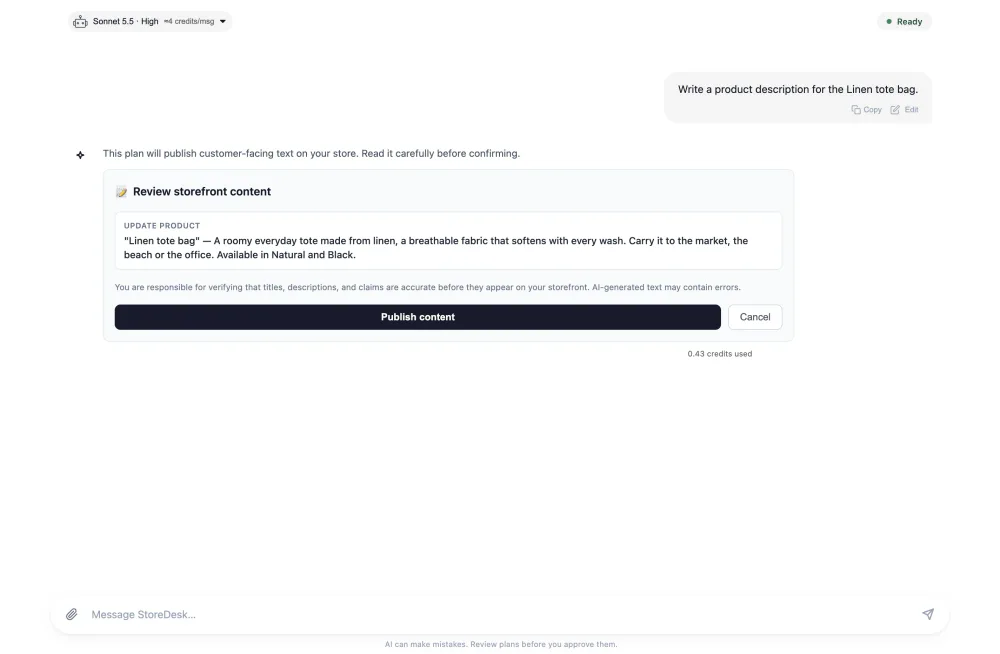
It won't invent a review count or call something a best seller. Ask "Write a product description for the Linen tote bag" and the draft comes back for you to read before it touches the product page.

  • The product's plain name, early
  • Material, colours and sizes from your variants
  • No invented claims, rankings or scarcity
StoreDesk
StoreDesk review card with a new description for the Linen tote bag, a note to check claims, and a Publish content button

SEO title and meta description in the same request

The SEO title and meta description are what a shopper sees in a search result before they ever reach your page. Ask for them with the description, for example "Write a description, an SEO title and a meta description for the Linen slip dress", and they land in the same review card.

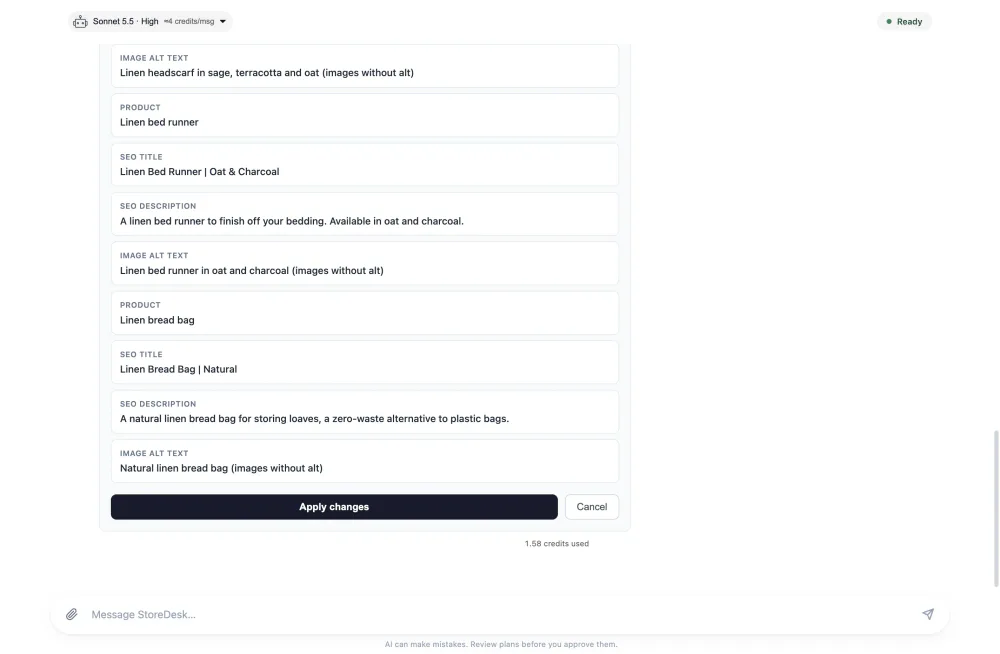
The built-in skill for missing SEO keeps titles under 60 characters and meta descriptions under 155, so search results are less likely to cut them off. It fills only fields that are empty, unless you ask it to replace what's there.

  • SEO titles under 60 characters
  • Meta descriptions under 155 characters
  • Works on products and collections
StoreDesk
StoreDesk review listing proposed SEO titles, meta descriptions and image alt text for several products at once, with an Apply changes button

Product SEO optimization for new listings

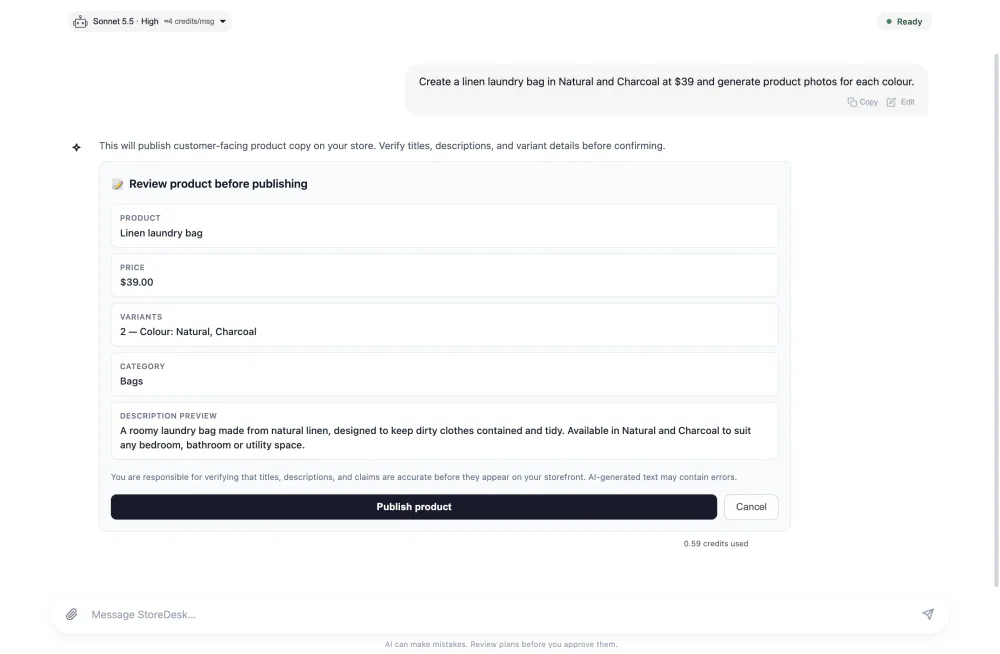
When you create a product through StoreDesk, the description is written as part of the listing. Ask "Create a linen laundry bag in Natural and Charcoal at $39" and the review card shows the name, price, variants, category and the description preview together.

If you want the SEO title and meta description set from day one, add that to the same request. Nothing is created until you press Publish product.

StoreDesk
StoreDesk review card before publishing a new Linen laundry bag, showing the price, two colour variants, the category and a description preview

02How it works

How to use SEO product descriptions in 4 steps

What you ask StoreDesk, what it shows you and what you approve, in order.

  1. Name the product

    Open Store Agent and say which product or products you want to work on, by title or handle.

  2. Say which fields

    The description, the SEO title, the meta description, the handle, or all of them in one request.

  3. Add the facts

    Type what matters, or attach a photo or a spec sheet. It writes only what it can work out.

  4. Review and approve

    Read every field in the review card, then apply the changes or cancel.

04Get started

Try SEO product descriptions on your store

Add StoreDesk to your store and ask for SEO product descriptions in plain English. Nothing changes until you approve the plan.

05FAQ

SEO product descriptions questions

Answers to common questions about SEO product descriptions in StoreDesk.

Still have a question?

Write to us and a person answers.

How do I write SEO friendly product descriptions?

Write for the shopper first, using the words they search. Name the product plainly near the start, give the facts they check (material, size, colours, care), keep it easy to scan, and fill in the SEO title and meta description so the search result matches the page.

How many words should a product description have?

There's no fixed number: write enough to answer what a shopper checks before buying. For many products that's a few sentences plus the key specs. StoreDesk writes two or three sentences of facts by default, which suits simple products, and you can add more detail yourself in the product editor.

Does the product description affect SEO?

Yes, it's part of the page search engines read. A clear description that names the product and its details helps both shoppers and search engines understand what you sell, while the SEO title and meta description shape how the page looks in results.

Can StoreDesk write the meta description for me?

Yes. Ask for a meta description for a product or collection and it drafts one for you to approve. The missing SEO skill keeps them under 155 characters and fills only empty fields unless you ask it to replace them.

Will changing a product's handle break my links?

No. When StoreDesk changes a handle, the old address redirects to the new one, so links you already shared keep working.