01 · Step 1
Ask a question
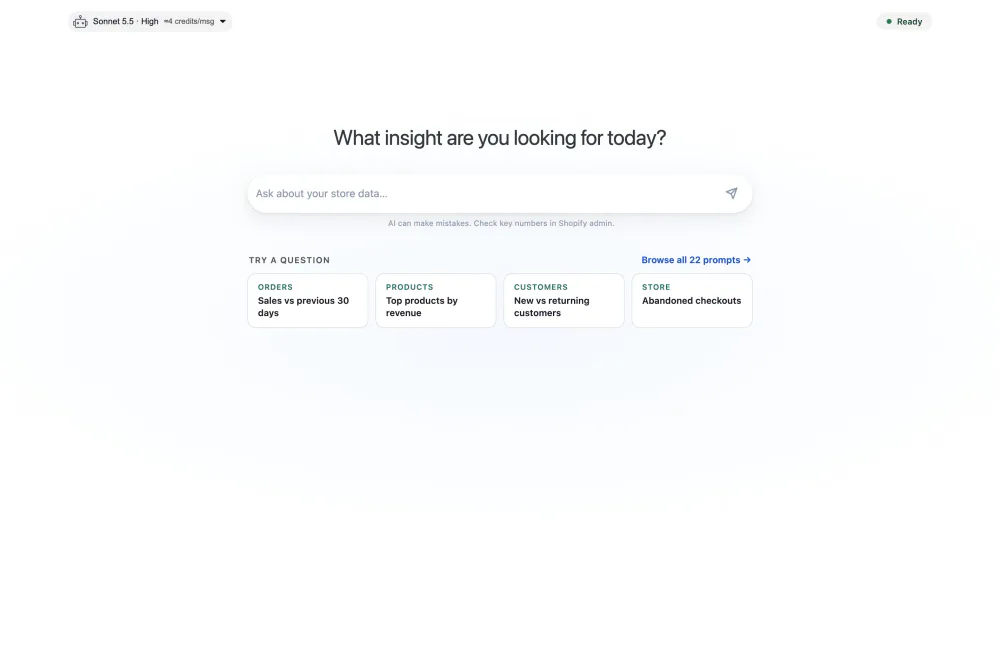
Type it your way, for example "What are my top 5 products by revenue in the last 60 days?", or pick one of the 22 ready-made prompts.
You want to know what sold, where the orders came from and how this month compares with the last, without building a report. This ecommerce analytics tool lets you ask in plain English, reads your store data and answers with a chart or a table. It's read-only, so it never changes anything.
01Why ask
Store Analytics sits inside your Shopify admin, next to the Store Agent. When you ask, it reads your orders, products, customers and other store data live, picks a chart that fits and shows the numbers behind it: the date range, how many orders it read, and gross, refunds and net. It's ecommerce reporting for the owner who has a question right now, not a BI tool you have to set up first.
02How it works
Ask a question, read the chart, then ask the next one in the same chat.
Type it your way, for example "What are my top 5 products by revenue in the last 60 days?", or pick one of the 22 ready-made prompts.
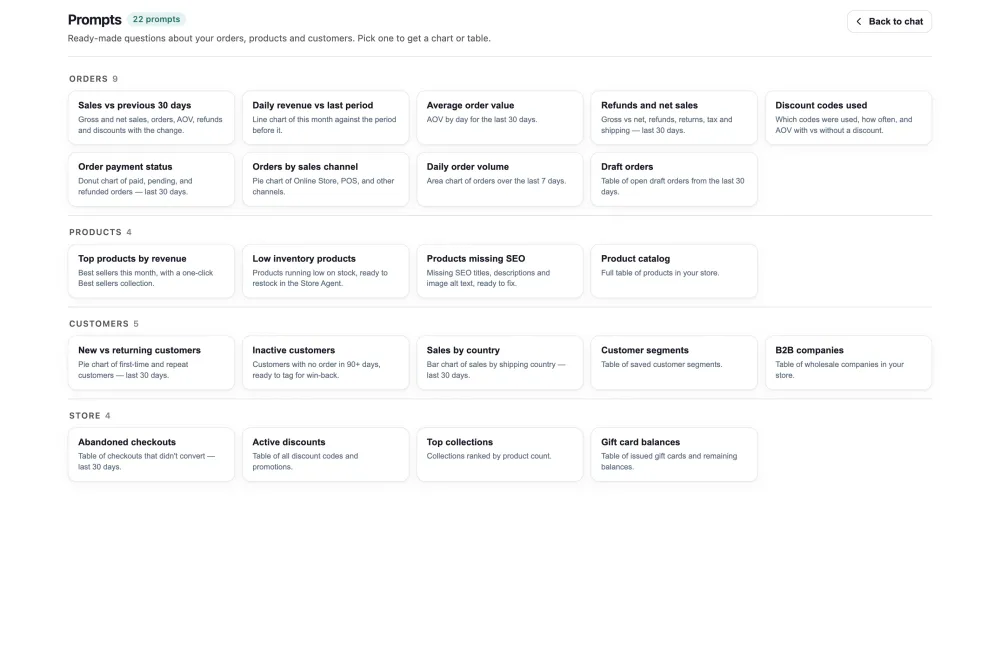
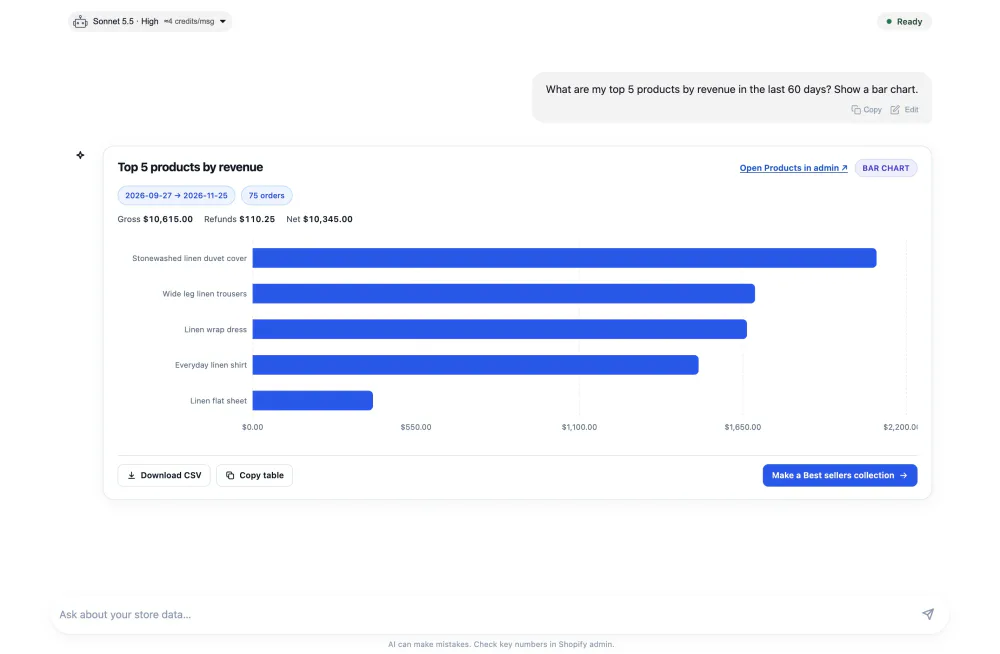
You get a bar, line, area, pie or donut chart, or a table. Each answer shows its date range, the number of orders it read, and gross, refunds and net.
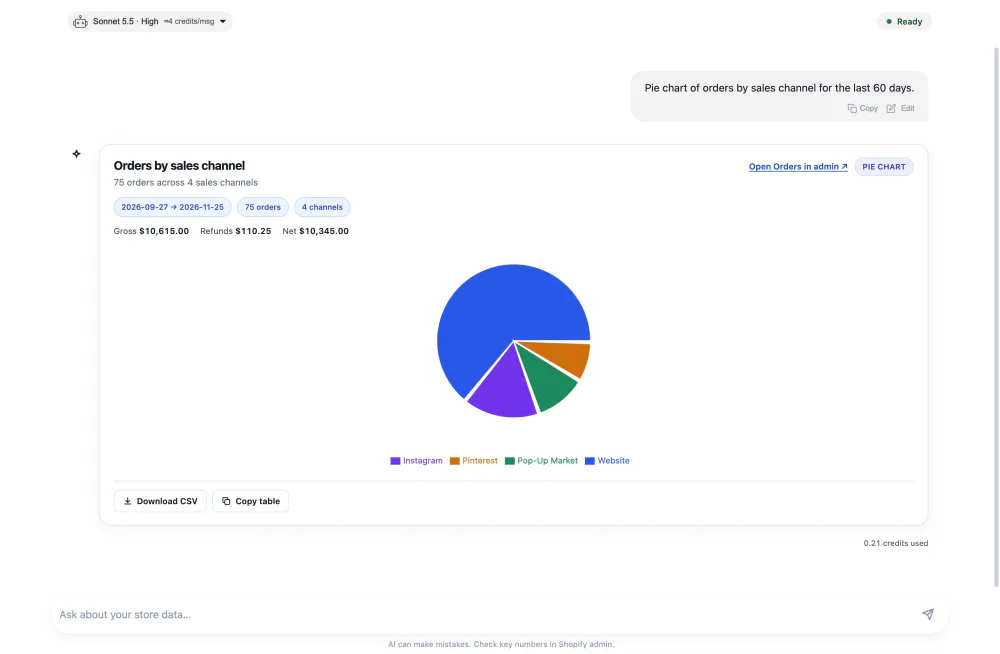
Change the period, name one product or split orders by sales channel. Past answers stay in your chat history, and new questions fetch fresh data.
03What you can ask
These are the areas Store Analytics reads today. Ask about any of them for any period in your order history.
Gross and net sales, refunds, discounts, order count and average order value, for a period or day by day.
Ask "How are my sales in the last 30 days vs the previous 30 days?" and see both periods side by side.
See how your orders split between paid, pending and refunded, or fulfilled and unfulfilled, as a pie or donut.
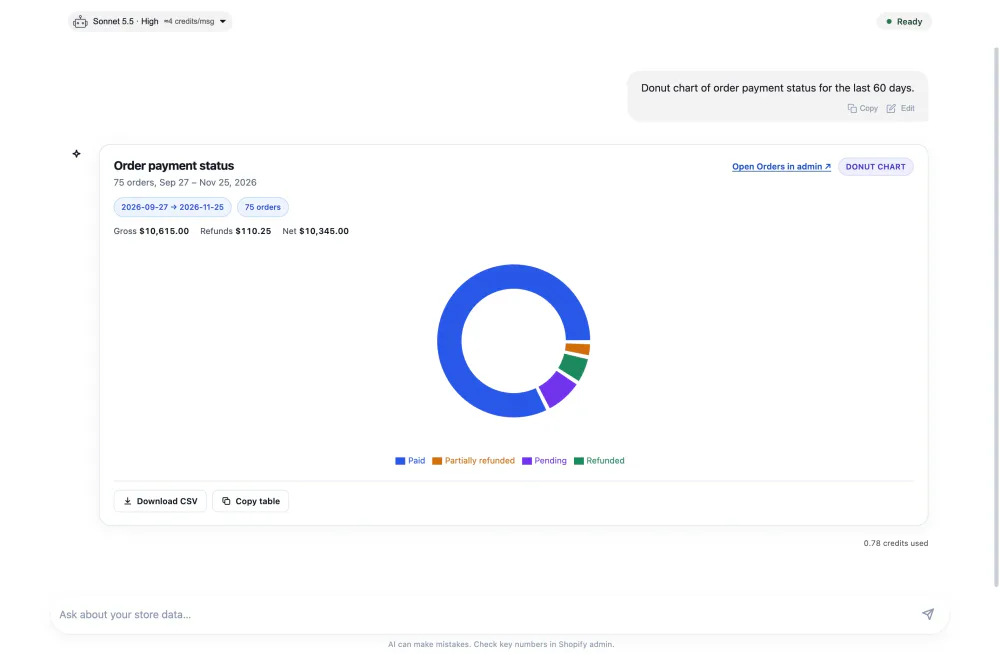
Top products by revenue or units sold, your catalog as a table, products running low on stock and products missing SEO fields.
New vs returning customers, top customers by spend and customers who haven't ordered in a while, shown by customer ID, plus your segments.
Abandoned checkouts, discounts, gift cards, draft orders, collections and pages, listed as tables.
04Features
See which products earn, by revenue or units sold, as a bar chart or a table you can download.
Learn morePie, bar, line and area charts of your store data, drawn when you ask for them.
Learn moreFind your best sellers by revenue or units, check their stock and group them into a collection.
Learn moreAsk about sales, products and customers in plain English and get answers from your live store data.
Learn more05Related
Ask in plain English and approve the plan before anything in your store changes.
Learn more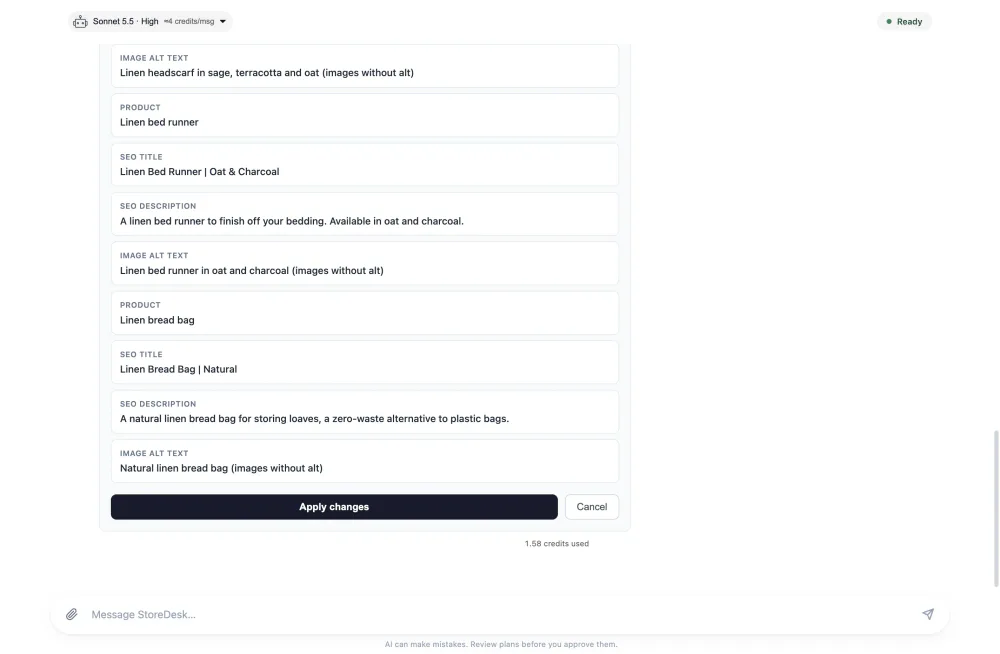
Product page SEO starts with three small fields: the SEO title, the meta description and the image alt text. They're the first things left blank when you add products in a hurry. Ask StoreDesk to fill them in, read every line on a review card, and approve. Nothing changes in your store until you do.
Learn more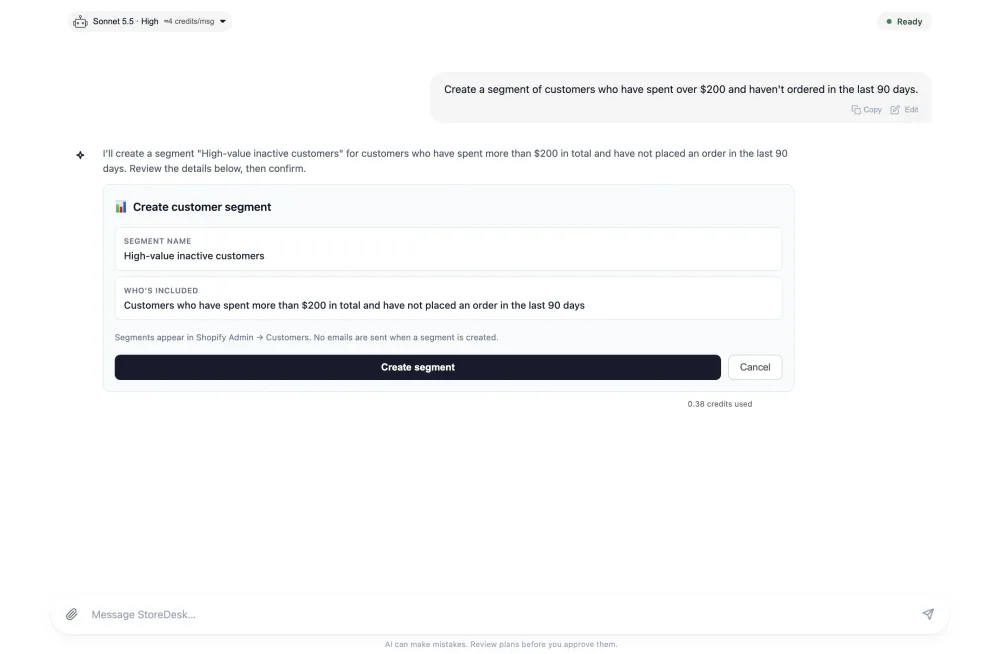
Customer segmentation without filter syntax: describe the customers you want, like everyone who spent over $200 and hasn't ordered in 90 days, and StoreDesk builds the segment in your admin once you approve it.
Learn more06FAQ
Start with three questions: how much you sold, what sold and where the orders came from, then compare with the previous period. In StoreDesk you ask each one in plain English, such as "Show gross vs net sales and refunds for the last 30 days", and get a chart from your live store data.
Track gross and net sales, order count, average order value, refunds, your top products and new vs returning customers, and watch how each one moves from period to period. You can ask Store Analytics for all of them, for up to 2 years of orders once full order history access is granted.
Yes. Store Analytics turns your question into a query on your live store data and draws the chart from the numbers that come back, so the figures aren't made up by the AI. It can still misread a question, so check key numbers in your admin before you act on them.
Ask "What are my top 5 products by revenue this month?", or ask for units sold instead. StoreDesk shows a bar chart of up to 50 products for the period you ask about, with a button to turn them into a Best sellers collection.
No. Store Analytics is read-only. When an answer points to a fix, such as restocking products that are running low, a button opens the Store Agent with a prefilled request, and nothing changes until you approve it there.
Up to 2 years of orders once full order history access is granted for your store, and the last 60 days until then. Each question reads up to 1,000 orders, so a very busy period shows partial totals and says so.
Yes, once full order history access is granted. Ask "Show my sales last year" and StoreDesk reads January to December of last year, up to 1,000 orders per question, and marks the totals as partial if the year had more.
Not as the same month a year apart yet. StoreDesk compares a period with the one right before it, such as this month vs last month or the last 30 days vs the 30 before, and the earlier period reads up to 2,500 orders.