01 · Step 1
Ask, or run the skill
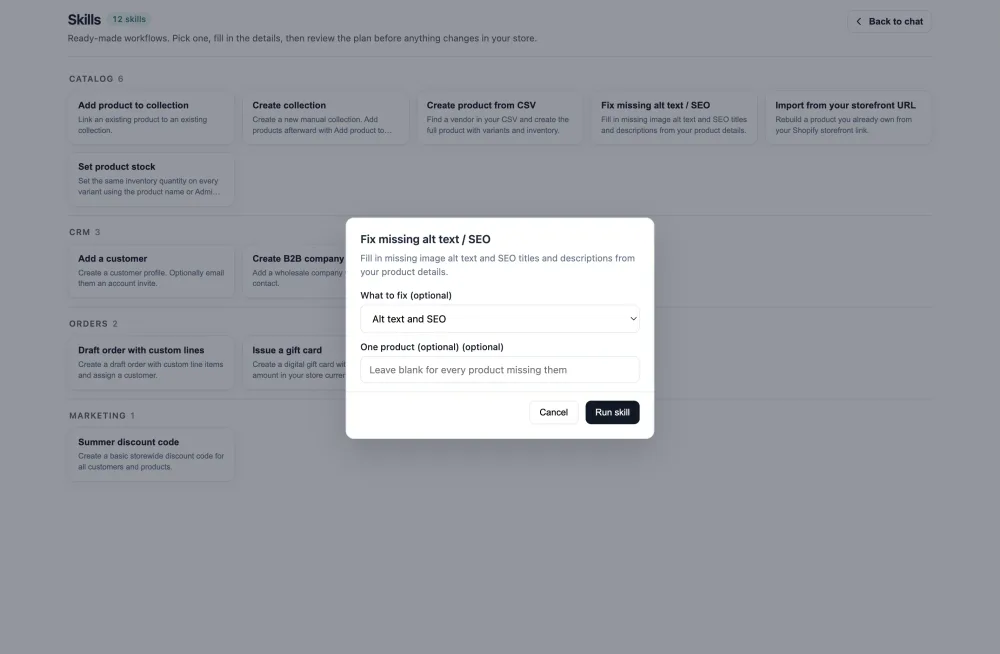
Type "Fix the missing alt text and SEO fields on the Linen slip dress", or pick the skill, choose alt text, SEO or both, and leave the product blank to check every product that's missing them.
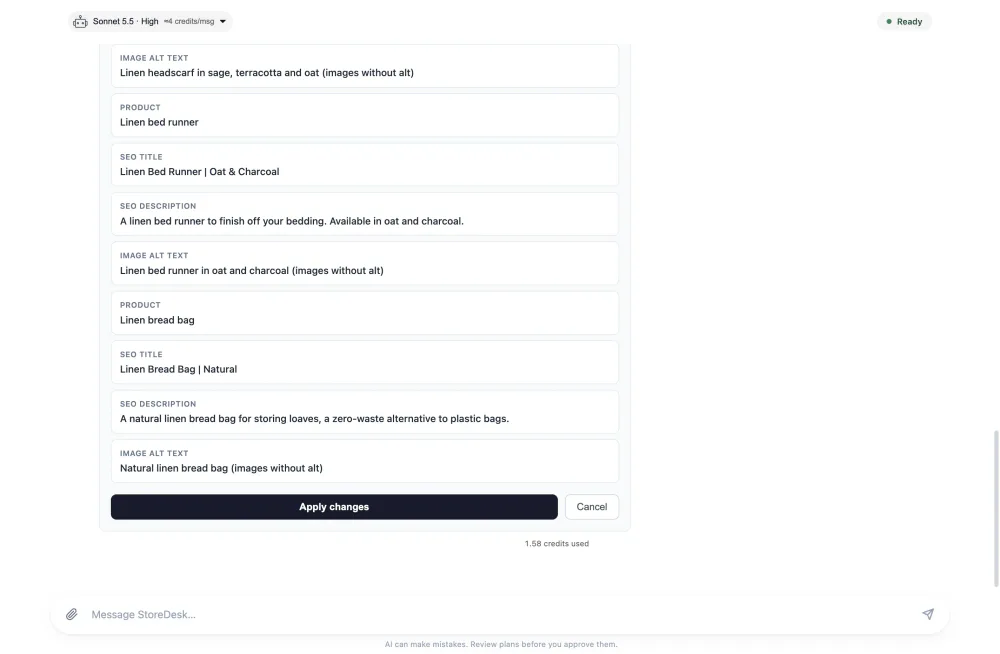
Product page SEO starts with three small fields: the SEO title, the meta description and the image alt text. They're the first things left blank when you add products in a hurry. Ask StoreDesk to fill them in, read every line on a review card, and approve. Nothing changes in your store until you do.
01Why it matters
Your SEO title and meta description often become the search result itself, and alt text tells search engines what each image shows. StoreDesk works inside your Shopify admin and reads your products and collections, so it can see which of these fields are empty and write them from details you already have: the product title, its colours and options. It's product SEO optimization for the fields you own, not a site audit or a ranking promise. You stay the editor, and the AI only drafts.
02How it works
Ask in plain English, or open Skills and run Fix missing alt text / SEO. Either way you see the plan before anything is saved.
Type "Fix the missing alt text and SEO fields on the Linen slip dress", or pick the skill, choose alt text, SEO or both, and leave the product blank to check every product that's missing them.
The review card shows the SEO title, SEO description and alt text it plans for each product. Titles stay under 60 characters, descriptions under 155 and alt text under 125.
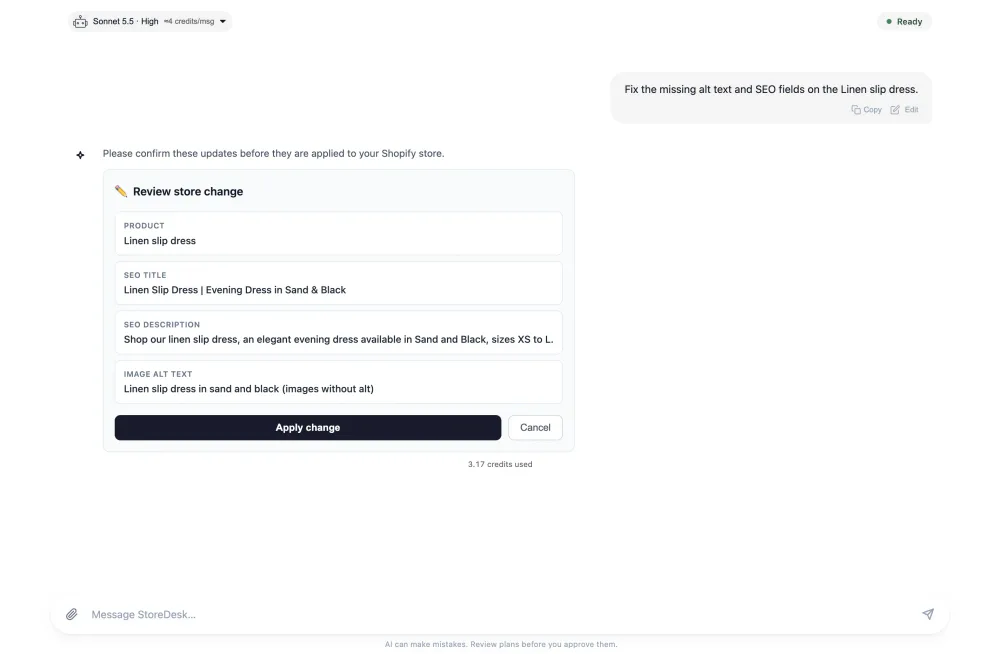
Apply the change to save it to your store, or cancel and ask again with different wording. Fields that already have text are left alone.
03What it can change
These are the search fields on your products and collections. StoreDesk sets them through the same admin your theme already reads, so there's nothing to install on the storefront.
Written from the product's own details, without invented claims. Ask for one product, a list, or every product missing them.
One short line from the product title and colours, added to the product's images that have no alt text yet. Images that already have it are skipped unless you ask for a rewrite.
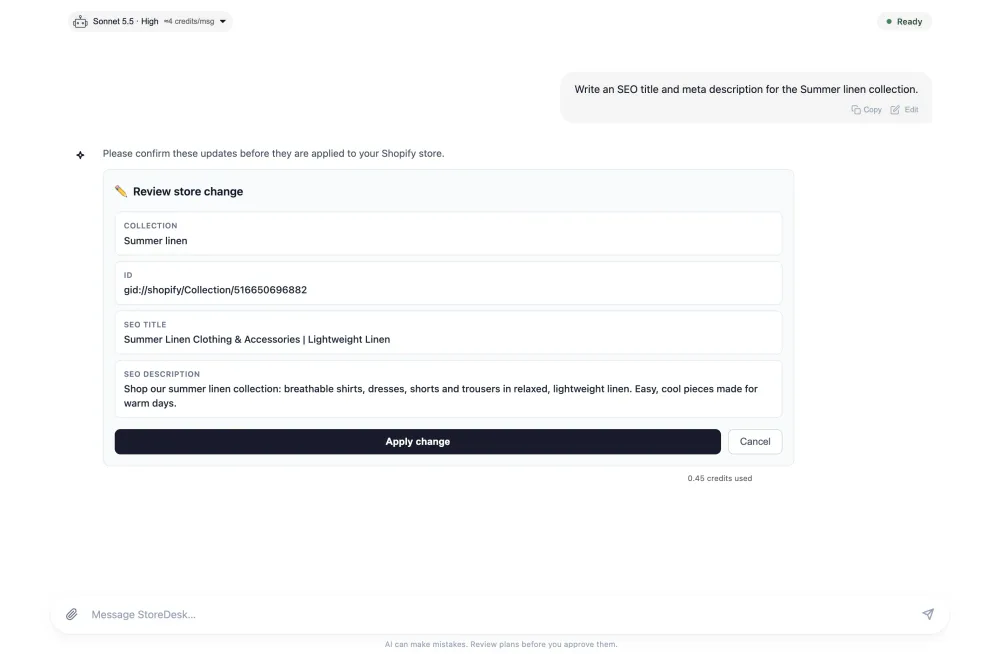
Ask for the SEO title and meta description of a collection, for example "Write an SEO title and meta description for the Summer linen collection". It can set the collection image's alt text too.
Change a handle when you rename a product or collection. The old URL redirects to the new one, so existing links keep working.
04Features
Fill missing image alt text on your products and collections, written from your product details, after you approve.
Learn moreWrite SEO titles and meta descriptions for products and collections, saved to the real fields after you approve.
Learn more05Related
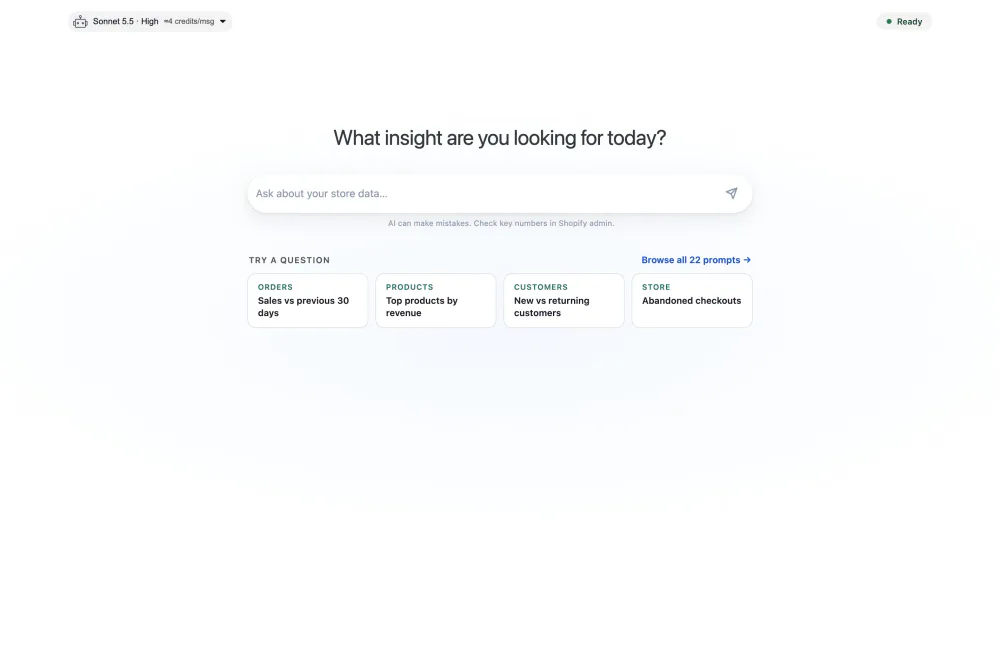
You want to know what sold, where the orders came from and how this month compares with the last, without building a report. This ecommerce analytics tool lets you ask in plain English, reads your store data and answers with a chart or a table. It's read-only, so it never changes anything.
Learn moreAsk in plain English and approve the plan before anything in your store changes.
Learn more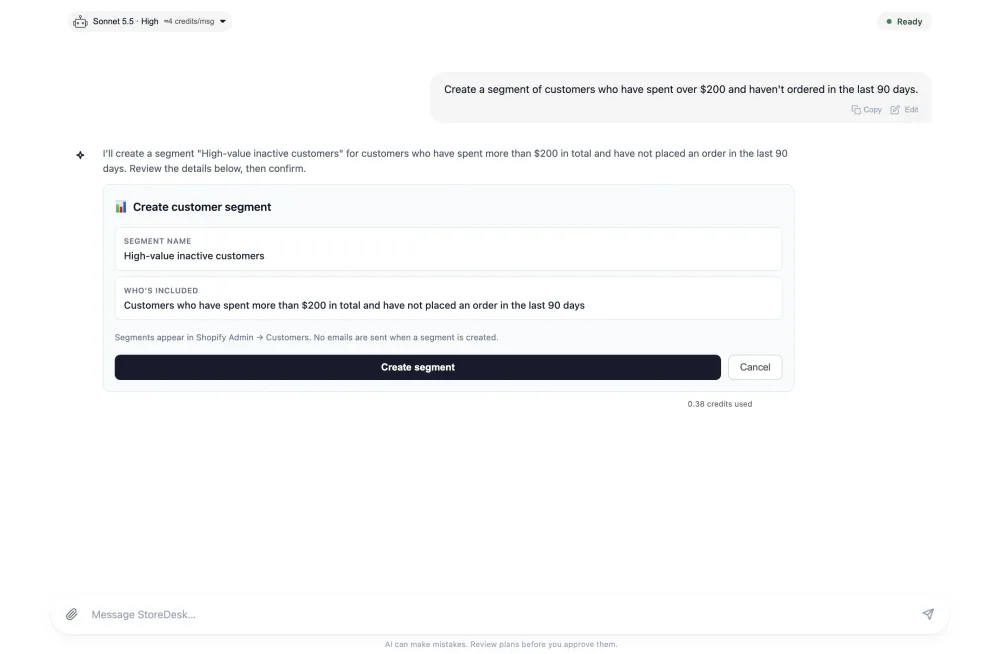
Customer segmentation without filter syntax: describe the customers you want, like everyone who spent over $200 and hasn't ordered in 90 days, and StoreDesk builds the segment in your admin once you approve it.
Learn more06FAQ
Give every product page a unique SEO title, a meta description that says what the product is, and alt text on its images, then keep the product title and description clear and specific. StoreDesk handles the first three: it finds the empty fields and drafts them from your product details for you to approve.
Ask StoreDesk to fill the missing fields across your catalogue in one request. It lists every proposed SEO title, description and alt text on one review card, and you approve them together or cancel and ask again.
The best one is the tool that fixes what you actually have wrong, and for most small stores that's empty titles, descriptions and alt text. StoreDesk fills those fields on products and collections inside your admin. It doesn't audit your theme, track rankings or write blog posts, so pair it with a rank tracker if you need one.
No. It fills only empty fields unless you ask it to rewrite them, and even then you see the old and new text on the review card before anything is saved.
Yes. Ask for a collection by name and StoreDesk writes its SEO title and meta description, and it can set the collection image's alt text. The bulk skill covers products, so ask for collections one at a time.
It's included on every plan, Free too, and each request uses credits for the AI it calls. The requests shown on this page used about 0.5 to 3 credits each on the default model in our demo store, and 1 credit is 1 cent of AI cost.